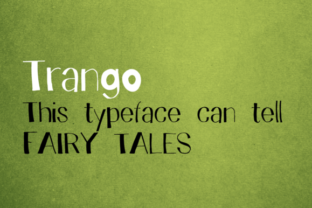
Trango: A Creative Platform for Modern Makers
Every creative project starts as a spark—a half-formed idea, a note on a phone, a scribble on scrap paper. The challenge isn’t inspiration; it’s turning that spark into something real. That’s where Trango enters the picture. It’s a platform designed to bridge the gap between idea and execution, giving creators, designers, marketers, and entrepreneurs a structured yet flexible space to develop concepts, collaborate, and produce work that resonates. Unlike tools that lean too far into complexity or oversimplify creativity into templates, Trango sits in a practical middle ground. It’s built for people who want to create with intention, not just speed.
What Makes Trango Different
At its core, Trango is about connecting the dots between inspiration and application. It offers a workspace where you can organize raw ideas, refine them into actionable plans, and track progress without losing the creative thread. What stands out is its adaptability. Whether you’re a solo freelancer mapping out a content calendar or a small team brainstorming a brand campaign, the structure adjusts to fit your workflow rather than forcing you into a rigid system. This flexibility is what makes it useful for such a broad range of users—from educators building course outlines to bloggers planning editorial sequences.
The platform encourages a project-first mindset. Instead of drowning in endless folders or chaotic note apps, you get a visual overview of where each idea stands. You can group related concepts, set milestones, and attach assets directly to tasks. For designers and marketers especially, this means less time hunting for files and more time refining the actual work. Trango doesn’t promise to do the creative heavy lifting for you, but it removes the friction that often slows down the process.
Creative Possibilities Across Disciplines
One of the most interesting aspects of Trango is how different users can adapt it to their own creative rhythm. A designer might use it to map out mood boards, wireframes, and client feedback loops. A marketer could structure campaign launches, content pillars, and performance reviews. A writer or blogger might treat it as a story development board, tracking character arcs, chapter beats, and editorial deadlines in one place. The platform doesn’t prescribe a single use case, which opens the door for more inventive applications.
For example, consider a small business owner launching a new product. They could use Trango to manage everything from initial concept sketches to packaging design, social media teasers, and launch day logistics. Each phase becomes a clear step, with dependencies visible and responsibilities assigned. This isn’t just project management—it’s creative direction made tangible. You see the full arc of an idea moving from abstract to finished piece.
Freelancers and independent creators often juggle multiple projects at once. Trango helps by providing a bird’s-eye view of everything on your plate. You can switch between projects without losing context, which is invaluable when you’re moving from a branding assignment in the morning to a blog post in the afternoon. The platform becomes a central hub where all your creative work lives, reducing the mental load of remembering where each thread left off.
Adapting Trango for Different Goals
How you use Trango depends heavily on your end goal. For someone focused on content creation—say, a YouTuber or podcast host—the platform can serve as a production pipeline. You can outline episodes, track recording status, store scripts and show notes, and schedule releases. The visual layout makes it easy to spot bottlenecks, like when editing is taking longer than planned. Instead of chasing status updates in email threads, everything is visible at a glance.
For entrepreneurs and small business owners, Trango works well as a strategic planning tool. You can map out quarterly goals, break them into monthly actions, and assign tasks to team members or yourself. It’s particularly effective for campaigns that require coordination across design, copywriting, and social media. You can attach briefs, reference images, and style guides directly to each task, so nothing gets lost in translation.
Educators and workshop facilitators can use Trango to design learning experiences. Structure lessons as modules, attach resources, and track participant progress. If you’re running a cohort-based course, you can adapt the platform to manage feedback loops and assignment submissions. It becomes a teaching tool that keeps both you and your students organized.
Practical Inspiration for Everyday Use
Let’s walk through a realistic scenario. Imagine you’re a freelance graphic designer who also runs a blog about design trends. You have client projects coming in regularly, plus your own content to produce. Without a system, it’s easy to let the blog slide when client work gets busy. With Trango, you can set up separate boards for client work and personal projects. Each board has its own timeline, milestones, and asset library. You can schedule dedicated time for your blog without it becoming an afterthought. Over time, you build a rhythm that supports both paid work and creative passion projects.
Another example: a marketing team of three people launching a seasonal campaign. The copywriter drafts the messaging, the designer creates visuals, and the manager oversees distribution. Using Trango, they can collaborate asynchronously. The copywriter uploads draft text, the designer references it for layout, and the manager approves each piece before it moves to the next stage. The whole process stays transparent, and no one has to wait for a status email. This kind of clarity reduces friction and keeps the energy focused on the creative work itself.
Keeping Results Clear and Effective
To get the most out of Trango, a few practical habits help maintain clarity. First, label your projects and tasks with consistent naming conventions. This might seem trivial, but when you’re scanning across multiple boards, clear labels save time. Second, attach relevant files and links directly to tasks rather than storing them separately. This keeps context intact and prevents the chaos of digging through folders later. Third, use milestones to mark key phases—concept approval, first draft, final review, publication. These checkpoints give you natural moments to evaluate progress without micromanaging every detail.
Another recommendation is to review your boards periodically. Creative projects evolve, and what made sense at the start may shift. Regularly revisiting your structure helps you stay aligned with your actual goals rather than the plan you set weeks ago. It also helps you spot what’s working and what’s just busywork. Trango’s flexibility is only useful if you actively shape it to your current needs.
For those working in teams, establish a simple set of rules around task statuses. Agree on what “in progress,” “needs review,” and “done” mean so everyone is on the same page. This avoids confusion and keeps the workflow smooth. Even in solo projects, defining these statuses for yourself creates a sense of momentum as you move tasks through the pipeline.
Staying Original and Audience-Focused
One risk with any structured platform is that it can make creative work feel formulaic. To keep your output original, treat Trango as an organizational backbone, not a creative straightjacket. Use it to handle the logistics so your mind is free to explore ideas without worrying about forgetting something. The structure should support spontaneity, not suppress it. Leave space in your boards for unplanned ideas—a section for “someday” projects or a board for inspiration that hasn’t found a home yet.
When adapting your workflow for different audiences, think about what each group needs to see. If you’re presenting a campaign plan to stakeholders, focus the board on milestones and deliverables rather than internal notes. If you’re sharing a project with a collaborator, make sure task descriptions are clear and include all necessary context. Tailoring the level of detail to the audience keeps communication clean and reduces back-and-forth questions.
Balancing Inspiration with Practicality
Creative work thrives on a mix of freedom and constraint. Trango provides the constraint in the form of structure, but the freedom comes from how you choose to populate it. You can keep your boards minimal—just enough to guide your work—or detailed enough to serve as a full project archive. The key is to find the balance that keeps you productive without killing the joy of making. If you find yourself spending more time organizing than creating, pull back. Simplify your structure until it feels like a support system, not an extra job.
Many users find that the act of moving a task from “in progress” to “done” provides a small but meaningful sense of accomplishment. It’s a way to acknowledge progress without waiting for the big finish. This rhythm of small wins can sustain motivation over longer projects. And because Trango lets you see the whole picture, those small wins add up to something larger without becoming overwhelming.
Final Thoughts on Working with Trango
Trango isn’t a magic solution that turns chaos into masterpieces overnight. It’s a practical tool that helps you organize the creative process so you can spend more energy on the work itself. For creators, designers, marketers, educators, entrepreneurs, and anyone who regularly moves ideas from concept to completion, it offers a way to keep projects on track without sacrificing originality. The real value comes from how you adapt it to your own workflow—how you use its structure to free up mental space for the thinking and making that matter most.
If you’re tired of managing creative projects through scattered notes, messy email threads, or tools that feel either too rigid or too loose, exploring Trango could be a step toward a more intentional process. It won’t make the hard parts of creativity disappear, but it can make the path from idea to finished piece a little clearer and a lot more manageable.